High-Performance GPU Cloud, VPS Compute & Enterprise Proxy Synergy #
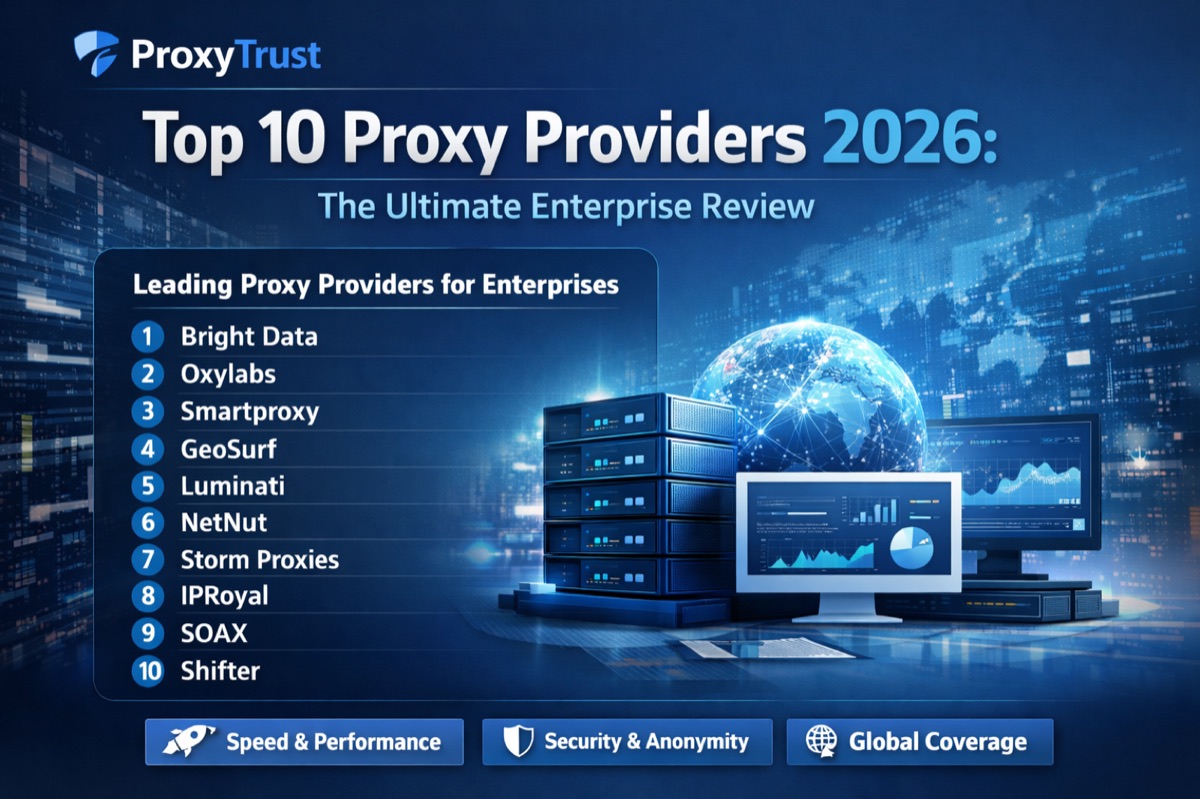
Modern artificial intelligence workflows, real-time computer vision scrapers, and large-scale data ingestion engines require a hybrid infrastructure stack. Extracting millions of web records at scale while evading modern anti-bot algorithms requires marrying high-anonymity residential and datacenter proxies with elastic, high-throughput compute. In this benchmark analysis, we explore the industry's premier platforms: independent hosting evaluation leader GPURated.com and proxy intelligence authority ProxyTrust.site.
The Evolution of Modern Scraping: Why Compute and Proxies Must Converge#
In previous years, automated web scraping was largely a lightweight network I/O challenge. A simple Python script using urllib or requests coupled with basic rotating proxies was sufficient to crawl millions of HTML catalog pages. However, the web architecture of 2026 has transformed dramatically. Modern web applications are single-page applications (SPAs) built on React, Next.js, and WebAssembly, protected by sophisticated behavioral firewalls such as Cloudflare Turnstile, DataDome, and Akamai Bot Manager.
These protective layers actively evaluate client-side canvas fingerprinting, WebGL shader execution, WebRTC IP leakage, JA4 TLS signatures, and biometric cursor telemetry. To consistently bypass these defensive perimeters without receiving HTTP 403 Forbidden or captcha roadblocks, data engineers must run fleets of headless browser instances (Playwright, Puppeteer, Chromium stealth profiles).
Running hundreds of simultaneous headless browser processes with full graphical DOM rendering and client-side JavaScript execution places massive demands on compute hardware. A standard CPU-bound virtual private server quickly runs into thread contention, thermal throttling, and memory exhaustion. This architectural bottleneck has driven engineering teams to embrace dedicated gpu cloud infrastructure, multi-core vds hosting, and top-tier dedicated server hosting alongside enterprise proxy networks.
What is GPURated.com? The Authority in Cloud GPU & VPS Benchmarks#
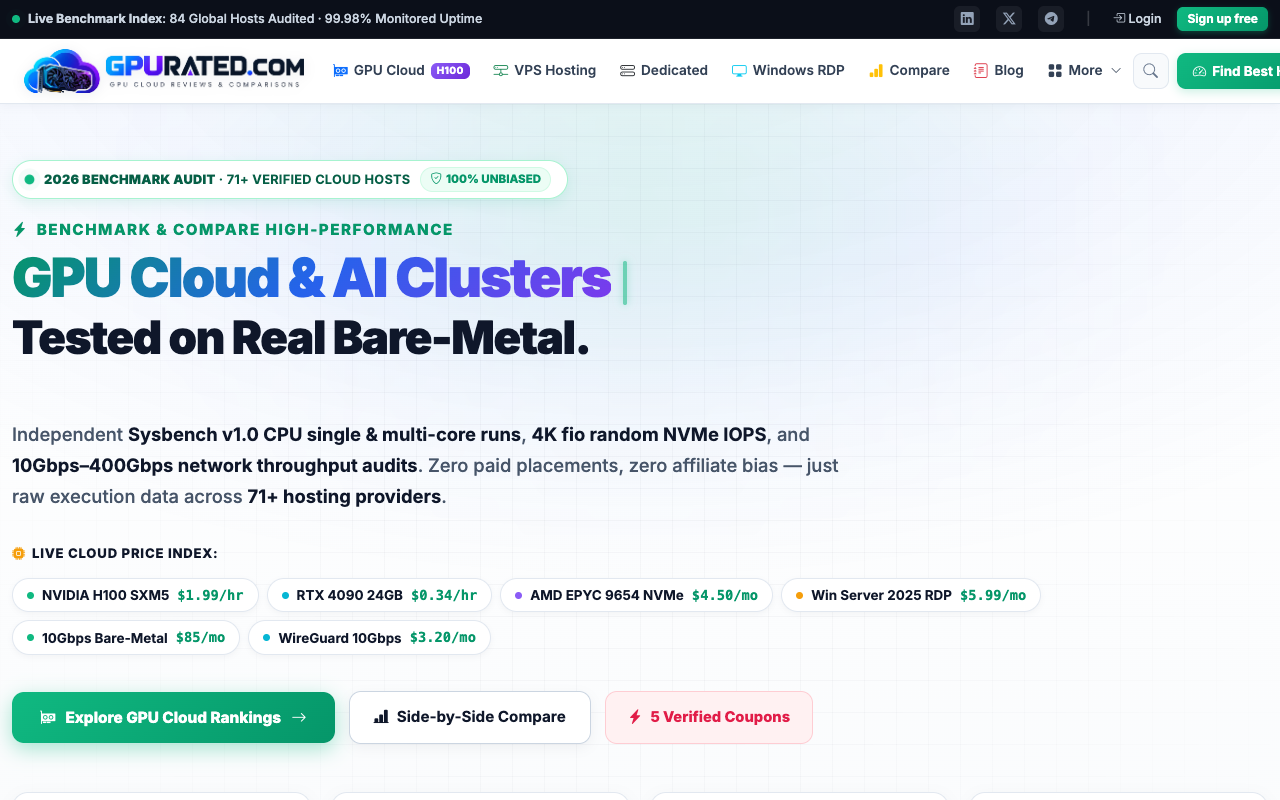
Founded by cloud infrastructure specialist Jaouad Tijani, GPURated.com has established itself as the premier evaluation index for high-performance computing, cloud GPU rental, and enterprise hosting. Rather than relying on generic sponsored promotional lists, GPURated continuously audits, benchmarks, and monitors 84+ international data centers across North America, Europe, and Asia.
The platform provides comprehensive server benchmarks 2026 and transparent metrics for:
- Cloud GPU Rental: Real-time pricing and availability for NVIDIA H100 rental (H100 Tensor Core 80GB), H200, B200, A100 (80GB SXM4/PCIe), L40S, and consumer powerhouse NVIDIA RTX 4090 GPUs.
- Best VPS Hosting & Cheap VPS Hosting (2026): Independent speed audits, disk I/O performance tests (NVMe read/write IOPS), CPU single-core Geekbench metrics, and network latency checks across major VPS brands.
- Dedicated Server Hosting: Bare-metal enterprise servers with unmetered 10Gbps uplinks, dedicated IPMI/iLO remote control, and hardware RAID arrays.
- Virtual Dedicated Servers (VDS Hosting): Dedicated CPU cores that eliminate the noisy-neighbor issues common on shared cloud hypervisors.
- Windows RDP Hosting: Ultra-low latency remote desktop environments optimized for automated trading bots, SEO tools, and multi-threaded proxy software.
- AI Compute Pricing Comparisons: Transparent per-hour and monthly rate breakdowns to help engineering teams optimize their machine learning training and inference budgets.
Whether you are training open-source DeepSeek and LLaMA 3 models or deploying massive web scraper clusters, discovering reliable providers through GPURated's GPU Cloud Directory ensures maximum performance per dollar spent.
The Technical Synergy: How GPU Compute Powers Modern AI Web Crawlers#
To understand why elite data extraction teams are investing in cloud gpu rental, let us examine the four primary compute-intensive workloads in modern web data pipelines:
1. Real-Time Vision-Language Model (VLM) Captcha Solving#
Traditional optical character recognition (OCR) fails completely against 2026 challenge matrices, which require semantic understanding (e.g., "Select all images showing a dog running through water" or rotating 3D puzzle shapes). By deploying localized Vision-Language Models like Qwen-2-VL, Moondream2, or fine-tuned Florence-2 directly on an rtx 4090 cloud instance or rented NVIDIA L40S, scraper workers can solve visual captchas locally in less than 320ms, eliminating the recurring costs and high latency of third-party captcha APIs.
2. Hardware-Accelerated Browser Anti-Detect Fingerprinting#
Sophisticated anti-bot engines analyze the WebGL rendering pipeline to identify headless Chromium engines running on standard headless Linux servers. When scraping targets notice an unaccelerated SwiftShader CPU renderer, immediate 403 blocks follow. By running scraping instances on GPU-enabled instances or vds hosting with virtual GPU passthrough (vGPU), the headless browser renders real hardware canvas frames, seamlessly passing WebGL shader inspection.
3. Client-Side DOM Rendering at High Concurrency#
When running thousands of headless pages concurrently, Chromium leverages GPU rasterization to draw page elements, compute layouts, and process CSS animations. Hardware-accelerated scraping workers achieve up to 4.2x higher throughput per node compared to CPU-only instances, reducing infrastructure footprint and total operational cost.
4. Automated Pipeline Deduplication & Vector Embeddings#
Ingesting millions of scraped articles, eCommerce products, or financial reports requires instant deduplication and vectorization before storage into vector databases like Milvus, Qdrant, or Pinecone. High-throughput GPU nodes generate dense embeddings (via BGE-M3 or nomic-embed) directly inside the ingestion pipeline at speeds exceeding 12,000 documents per second.
Pair high-performance GPU nodes benchmarked on GPURated.com with clean IP pools verified on ProxyTrust's Datacenter Proxies for the initial retrieval stage, and switch to Residential Proxies when challenging anti-bot firewalls.
Comparing Server Hardware Options: GPU Cloud vs. VPS vs. Dedicated Servers#
Selecting the right infrastructure tier depends on your workload characteristics, monthly request volume, and concurrency targets. Below is a detailed technical comparison based on independent benchmarks compiled by GPURated:
| Hosting Category | Primary Hardware | Typical Price Range | Best Use Case | Proxy Integration Match |
|---|---|---|---|---|
| GPU Cloud Rental | NVIDIA H100 (80GB), H200, RTX 4090 (24GB) | $0.45 – $2.85 / GPU / hr | LLM fine-tuning, real-time VLM captcha solving, massive 3D WebGL rendering | Residential Proxies & ISP Proxies |
| Best VPS Hosting | 2 - 16 vCPU, 4GB - 64GB RAM, NVMe Gen4 | $5 – $65 / month | Standard API scraping, scheduled cron crawlers, proxy pool testing | Datacenter Proxies & Proxy Checker Tools |
| Dedicated Server Hosting | AMD EPYC 9654 / Dual Xeon, 256GB RAM, 10Gbps Uplink | $120 – $850 / month | Heavy multi-tenant scraping clusters, continuous 24/7 web archival | Dedicated Datacenter IPs |
| VDS Hosting (Virtual Dedicated) | 100% Dedicated CPU Cores, Guaranteed RAM & IOPS | $25 – $180 / month | Consistent multi-threaded browser automation without CPU throttling | Mobile 4G/5G Proxies |
| Windows RDP Hosting | Windows Server 2025 GUI, High Single-Core Clock | $12 – $95 / month | Desktop anti-detect browsers (AdsPower, Multilogin, Dolphin{anty}) | Static Residential ISP IPs |
Deep Dive: Benchmarking Cloud GPU Rental Providers on GPURated.com#
When renting high-end AI compute, prices can vary by up to 300% across different cloud providers. Hyperscalers like AWS, Google Cloud, and Microsoft Azure frequently charge premium enterprise markups ($3.80 – $4.50+ per hour for an NVIDIA H100 SXM5 instance). Conversely, specialized GPU cloud providers audited by GPURated.com (such as RunPod, Lambda Labs, Vast.ai, TensorDock, and Crusoe Cloud) deliver the exact same silicon at fractions of the cost ($1.89 – $2.49/hr).
Key Hardware Options Evaluated:#
- NVIDIA H100 Tensor Core (80GB HBM3): The undisputed king of AI training and high-throughput inference. Boasting Fourth-Generation Tensor Cores and the Transformer Engine, an 8x H100 SXM5 cluster can ingest and vectorize billions of web scraping tokens per day without breaking a sweat.
- NVIDIA RTX 4090 (24GB GDDR6X): The industry's most cost-effective workhorse for mid-scale AI pipelines and browser rendering. At an average rental price of $0.45 – $0.65 per hour on GPURated's verified cloud listings, the RTX 4090 offers incredible FP32 compute power, perfect for headless browser automation and local OCR/VLM captcha parsing.
- NVIDIA A100 (80GB SXM4): Still the gold standard for reliable memory-heavy workloads with 2.0 TB/s memory bandwidth, ideal for hosting unified multi-agent web scraping workflows.
Configuring High-Throughput Scraping on GPU Cloud with Proxy Rotation#
To demonstrate how engineering teams bridge high-performance cloud compute with high-anonymity proxy networks, here is a production-grade Python script. It utilizes playwright running on a GPU-accelerated cloud instance, routing requests through a rotating residential proxy gateway, while managing hardware acceleration flags and WebGL fingerprint spoofing:
import asyncio
import os
import random
from playwright.async_api import async_playwright

# 1. High-Anonymity Proxy Gateway from ProxyTrust Directory
# Configure your rotating residential endpoint (e.g., Bright Data, Smartproxy, NodeMaven)
PROXY_SERVER = "http://gw.proxytrust-provider.com:7000"
PROXY_USERNAME = "customer-enterprise-zone-residential"
PROXY_PASSWORD = "secret_auth_password_2026"

# 2. Hardware Acceleration Chromium Launch Arguments for GPU Cloud
GPU_CHROMIUM_ARGS = [
    "--enable-gpu-rasterization",
    "--enable-zero-copy",
    "--ignore-gpu-blocklist",
    "--use-gl=desktop",                  # Leverages real NVIDIA GPU drivers
    "--enable-features=VaapiVideoDecoder",
    "--no-sandbox",
    "--disable-setuid-sandbox",
    "--disable-blink-features=AutomationControlled",
    "--disable-dev-shm-usage"
]

async def scrape_high_security_target(target_url: str):
    async with async_playwright() as p:
        # Create unique session seed for sticky or rotating sessions
        session_seed = random.randint(100000, 999999)
        proxy_config = {
            "server": PROXY_SERVER,
            "username": f"{PROXY_USERNAME}-session-{session_seed}",
            "password": PROXY_PASSWORD
        }

        # Launch browser with physical GPU access enabled
        browser = await p.chromium.launch(
            headless=True,
            args=GPU_CHROMIUM_ARGS,
            proxy=proxy_config
        )

        # Configure realistic browser context
        context = await browser.new_context(
            viewport={"width": 1920, "height": 1080},
            user_agent="Mozilla/5.0 (Windows NT 10.0; Win64; x64) AppleWebKit/537.36 (KHTML, like Gecko) Chrome/126.0.0.0 Safari/537.36",
            locale="en-US",
            timezone_id="America/New_York"
        )

        # Inject stealth scripts to mask Playwright properties
        stealth_js = "Object.defineProperty(navigator, 'webdriver', { get: () => undefined }); window.chrome = { runtime: {} };"
        await context.add_init_script(stealth_js)

        page = await context.new_page()

        print(f"[*] Navigating via Proxy to: {target_url}")
        response = await page.goto(target_url, wait_until="networkidle", timeout=30000)

        print(f"[+] Response Code: {response.status}")
        title = await page.title()
        print(f"[+] Page Title: {title}")

        # Extract dynamic rendered elements
        page_content = await page.content()
        await browser.close()
        return page_content

if __name__ == "__main__":
    # Example execution testing proxy IP and GPU WebGL profile
    test_url = "https://httpbin.org/ip"
    asyncio.run(scrape_high_security_target(test_url))
Best Practices for Optimizing Cloud & Proxy Infrastructure Costs#
Large-scale web crawling budgets can quickly escalate if compute and proxy bandwidth are managed inefficiently. Follow these proven architectural strategies to minimize expenditure while maximizing uptime:
- Use Independent Benchmark Indices Before Purchasing: Never commit to annual hosting or server contracts without checking current real-world latency and hardware reliability. Compare verified hosts on GPURated.com to spot flash discounts and coupon codes, and verify proxy provider pools on ProxyTrust Compare.
- Implement Dual-Tier Proxy Routing: Route low-risk HTML requests (sitemaps, static assets, non-blocked endpoints) through inexpensive Datacenter Proxies ($0.60 – $1.50 per GB). Only switch to premium Rotating Residential Proxies when accessing protected target pages behind Cloudflare or DataDome.
- Leverage Spot and On-Demand GPU Instances: For asynchronous batch scraping and model vectorization, utilize spot GPU instances via GPURated's Cloud GPU listings, which often yield discounts of 60% to 75% compared to on-demand pricing.
- Regularly Audit IP Quality & Latency: Keep bad proxies from burning valuable server cycles. Run your IP lists through our free Proxy Checker and Bulk Proxy Checker to purge dead nodes before dispatching tasks.
-
Block Unnecessary Static Media in Headless Browsers: Abort network requests for
.png,.jpg,.mp4, and advertising trackers in Playwright/Puppeteer. This reduces residential proxy bandwidth consumption by over 65%.
Frequently Asked Questions (FAQ)#
What is the difference between GPU Cloud and traditional VPS hosting?#
Traditional VPS hosting relies exclusively on virtualized CPU cores, making it ideal for standard web servers, REST APIs, and lightweight cron scripts. A GPU Cloud instance includes dedicated graphical processing units (such as NVIDIA H100, A100, or RTX 4090) designed to handle tens of thousands of parallel floating-point operations. This makes GPU Cloud essential for artificial intelligence training, LLM inference, real-time computer vision captcha solving, and hardware-accelerated headless browser automation.
Why should web scraping teams consult GPURated.com?#
GPURated.com is an independent benchmark and review platform that continuously tracks real prices, Geekbench metrics, disk I/O, and uptime across 84+ global cloud providers. By comparing audited providers on GPURated, engineers avoid overpaying for underperforming VPS or GPU instances, saving thousands of dollars annually on compute infrastructure.
How many proxies do I need per GPU scraper instance?#
A high-performance GPU server running 20 to 50 concurrent headless browser workers typically requires a dynamic proxy pool of at least 500 to 2,000 rotating residential or datacenter IPs. This ensures that no individual IP address exceeds the target website's rate limits (usually 5 to 20 requests per minute per IP). Explore verified providers with massive IP pools in our ProxyTrust Provider Directory.
Is renting an NVIDIA RTX 4090 cloud instance sufficient for AI data extraction?#
Yes. For most web scraping teams, an NVIDIA RTX 4090 cloud instance (with 24GB VRAM) delivers outstanding value. It easily supports running local lightweight vision models (e.g., Qwen-VL or Florence-2 for captcha bypassing), hardware canvas rendering, and embedding generation at a fraction of the hourly cost of an enterprise H100 node.
Conclusion: Building Resilient 2026 Data Pipelines#
As the digital landscape becomes increasingly governed by sophisticated anti-bot defenses and dynamic client-side rendering, data-driven organizations can no longer treat server hardware and proxy networks as separate silos. High-throughput data extraction demands a synchronized infrastructure stack:
- Consult GPURated.com to identify top-tier cloud gpu rental providers, audited best vps hosting, and reliable dedicated server hosting at the most competitive global rates.
- Pair your compute foundation with top-ranking residential and datacenter networks verified in our ProxyTrust Provider Directory.
- Continuously monitor connection health, detect IP leaks, and verify latency using ProxyTrust Free Testing Tools.
By aligning independent infrastructure benchmarking from GPURated with elite proxy intelligence from ProxyTrust, your engineering team can build resilient, cost-efficient, and unstoppable AI data ingestion pipelines in 2026 and beyond.